Best Mouse for Solopreneurs 2026
· 10 min read

Best Mouse for Solopreneurs 2026: Ergonomic Picks for All-Day Use
This article contains affiliate links. If you purchase through our links, we may earn a commission at no extra cost to you. See our Affiliate Disclosure for details.
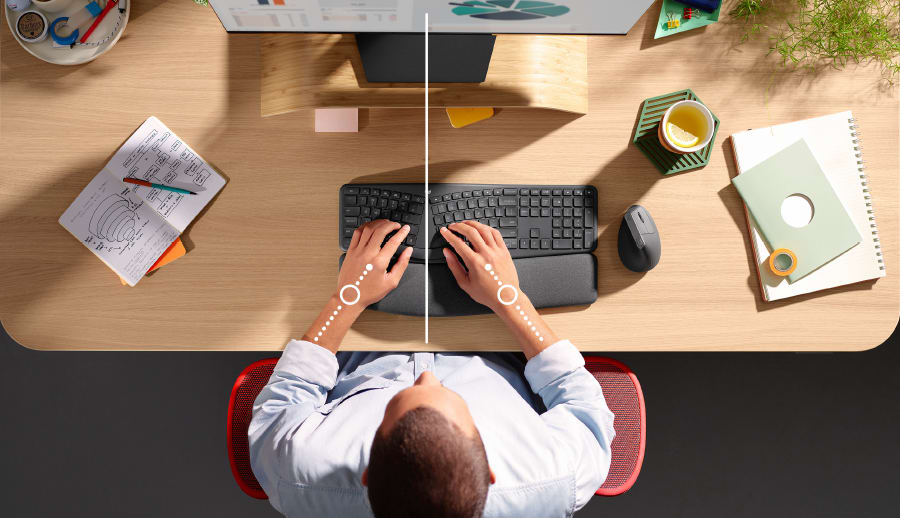
As a solopreneur, you spend countless hours at your desk, clicking and scrolling your way to success. But have you ever stopped to consider the toll that a standard mouse can take on your wrist and hand? The repetitive motions and unnatural posture can lead to discomfort, pain, and even long-term injury. That's why investing in an ergonomic mouse is one of the smartest decisions you can make for your health and productivity.
This guide will walk you through the best ergonomic mice for solopreneurs in 2026, with a focus on all-day comfort and performance. We'll cover the key criteria to consider when choosing a mouse, compare the top models on the market, and answer your most pressing questions about making the switch.
Quick Verdict
For solopreneurs seeking the ultimate blend of comfort, precision, and features, the Logitech MX Master 3S is our top recommendation. Its sculpted shape, advanced sensor, and multi-device connectivity make it a powerhouse for productivity. While it comes at a premium price, the investment is well worth it for the long-term benefits to your wrist and workflow.
Why Your Wrist Will Thank You: The Ergonomic Mouse Advantage
Traditional mice force your hand and wrist into a pronated position, where your palm faces down. This can lead to a condition known as repetitive strain injury (RSI), which can cause pain, numbness, and tingling in your hand, wrist, and arm. Ergonomic mice are designed to combat this by promoting a more natural handshake-like posture.
Vertical, Sculpted, or Trackball: What's the Difference?
Ergonomic mice come in a few different shapes and sizes, each with its own set of pros and cons.
- Vertical Mice: These mice are held in a handshake position, which keeps your wrist in a neutral alignment. They can feel a bit strange at first, but many users find them to be the most comfortable option for long-term use.
- Sculpted Mice: These mice are not fully vertical, but they have a contoured shape that provides more support for your hand and wrist than a traditional mouse. They are a good option for users who want to improve their ergonomics without making a drastic change.
- Trackball Mice: With a trackball mouse, you use your thumb or fingers to move the cursor, rather than moving the entire mouse. This can be a good option for users with limited desk space or who experience pain when moving their arm.
It's worth noting that switching to an ergonomic mouse can feel awkward for the first few days. Your muscle memory will need some time to adjust to the new posture. However, most users report that after a short adjustment period, they can't imagine going back to a standard mouse.
The Best Ergonomic Mice for Solopreneurs in 2026
We've tested and reviewed the top ergonomic mice on the market to help you find the perfect fit for your needs. Here are our top 5 picks for 2026:
| Product | Price Range | Key Feature | Best For | Amazon Link |
|---|---|---|---|---|
| Logitech MX Master 3S | $99 | MagSpeed scrolling, 8K DPI sensor, multi-device connectivity | Power users and multi-taskers | Link |
| Logitech Lift Vertical Ergonomic Mouse | $69 | 57-degree vertical angle, quiet clicks, SmartWheel scrolling | All-day comfort and small to medium hands | Link |
| Anker Vertical Ergonomic Optical Mouse | $29 | Budget-friendly, 6-button design, adjustable DPI | Value-conscious solopreneurs | Link |
| Logitech ERGO M575 Wireless Trackball Mouse | $49 | Thumb-operated trackball, long battery life, sculpted shape | Users with limited desk space or wrist pain | Link |
| Microsoft Sculpt Ergonomic Mouse | $59 | Unique domed shape, Windows button, 4-way scrolling | Windows users and those who prefer a sculpted design | Link |
In-Depth Reviews
1. Logitech MX Master 3S: The Ultimate Productivity Mouse
The Logitech MX Master 3S is the gold standard for ergonomic mice, and for good reason. Its sculpted shape is designed to fit your hand like a glove, and its MagSpeed scroll wheel is a game-changer for navigating long documents and web pages. With an 8K DPI sensor, it offers exceptional precision on any surface, and its multi-device connectivity allows you to seamlessly switch between your computer, tablet, and phone.
Grip Style: Sculpted Connectivity: Bluetooth, Logi Bolt USB receiver Battery Life: Up to 70 days on a full charge Price: $99
2. Logitech Lift Vertical Ergonomic Mouse: All-Day Comfort
The Logitech Lift is a vertical mouse that is designed to reduce muscle strain and improve posture. Its 57-degree angle puts your hand in a natural handshake position, and its quiet clicks won't disturb your coworkers (or your family). The Lift also features a SmartWheel that automatically switches between precise and free-scroll modes.
Grip Style: Vertical Connectivity: Bluetooth, Logi Bolt USB receiver Battery Life: Up to 24 months on a single AA battery Price: $69
3. Anker Vertical Ergonomic Optical Mouse: The Budget-Friendly Option
The Anker Vertical Ergonomic Optical Mouse is a great option for solopreneurs who are on a budget. It offers the same handshake posture as more expensive vertical mice, and it has a 6-button design that can be customized to your needs. While it doesn't have all the bells and whistles of the Logitech mice, it's a solid choice for the price.
Grip Style: Vertical Connectivity: 2.4G wireless USB receiver Battery Life: Up to 18 months on 2 AAA batteries Price: $29
4. Logitech ERGO M575 Wireless Trackball Mouse: For Limited Desk Space
If you have limited desk space or experience pain when moving your arm, the Logitech ERGO M575 is an excellent choice. This trackball mouse allows you to control the cursor with your thumb, so you don't have to move the mouse at all. It has a sculpted shape that provides good support for your hand, and its long battery life means you won't have to worry about it dying in the middle of a project.
Grip Style: Trackball Connectivity: Bluetooth, Unifying USB receiver Battery Life: Up to 24 months with a single AA battery Price: $49
5. Microsoft Sculpt Ergonomic Mouse: A Unique and Comfortable Design
The Microsoft Sculpt Ergonomic Mouse has a unique domed shape that is designed to promote a natural wrist posture. It also has a built-in Windows button that provides quick access to the Start menu, and its 4-way scroll wheel makes it easy to navigate both vertically and horizontally. This is a great option for Windows users who want a comfortable and feature-rich mouse.
Grip Style: Sculpted Connectivity: 2.4GHz wireless USB receiver Battery Life: Up to 12 months on 2 AA batteries Price: $59
How to Choose the Right Ergonomic Mouse for You
With so many great options to choose from, it can be tough to decide which ergonomic mouse is right for you. Here are a few factors to consider:
- Grip Style: Do you prefer a vertical, sculpted, or trackball mouse? The best way to find out is to try them out for yourself. If you can't try them in person, consider your current habits and which style seems most appealing.
- Connectivity: Do you need to connect to multiple devices? If so, look for a mouse with Bluetooth connectivity.
- Battery Life: How important is battery life to you? Some mice can last for up to 2 years on a single set of batteries, while others need to be recharged every few months.
- Price: Ergonomic mice can range in price from under $30 to over
- Set a budget before you start shopping to narrow down your options.
Conclusion: Your Wrists Are Worth the Investment
As a solopreneur, your health is your most valuable asset. Investing in an ergonomic mouse is a small price to pay for the long-term benefits to your wrist and hand health. Our top pick, the Logitech MX Master 3S, offers the best combination of comfort, performance, and features, but any of the mice on our list will be a significant upgrade from a standard mouse.
Ready to make the switch? Click here to purchase the Logitech MX Master 3S on Amazon and start your journey to a more comfortable and productive workday.
Related Articles
- The Best Ergonomic Chair for Solopreneurs in 2026
- The Best Home Office Desk for Solopreneurs in 2025
- How to Create the Best Home Office Setup for Under $500
About the Author: The YourSolopreneurKit Team tests and reviews tools to help solopreneurs work smarter. With 30+ years of business experience, we focus on practical recommendations that deliver real value.
About the Author
The Your SoloPreneur Kit Team — Honest tool reviews, home office guides, and actionable strategies for solopreneurs. Built by a 30-year operations veteran who managed teams across Panama, Central America, and the Caribbean.
Subscribe to The Solopreneur Edge
Get weekly tool reviews, productivity tips, and business strategies delivered to your inbox. Join our growing community of solopreneurs.
Subscribe to Newsletter