Best Portable Monitor for Solopreneurs 2026
· 9 min read

This article contains affiliate links. If you purchase through our links, we may earn a commission at no extra cost to you. See our Affiliate Disclosure for details.
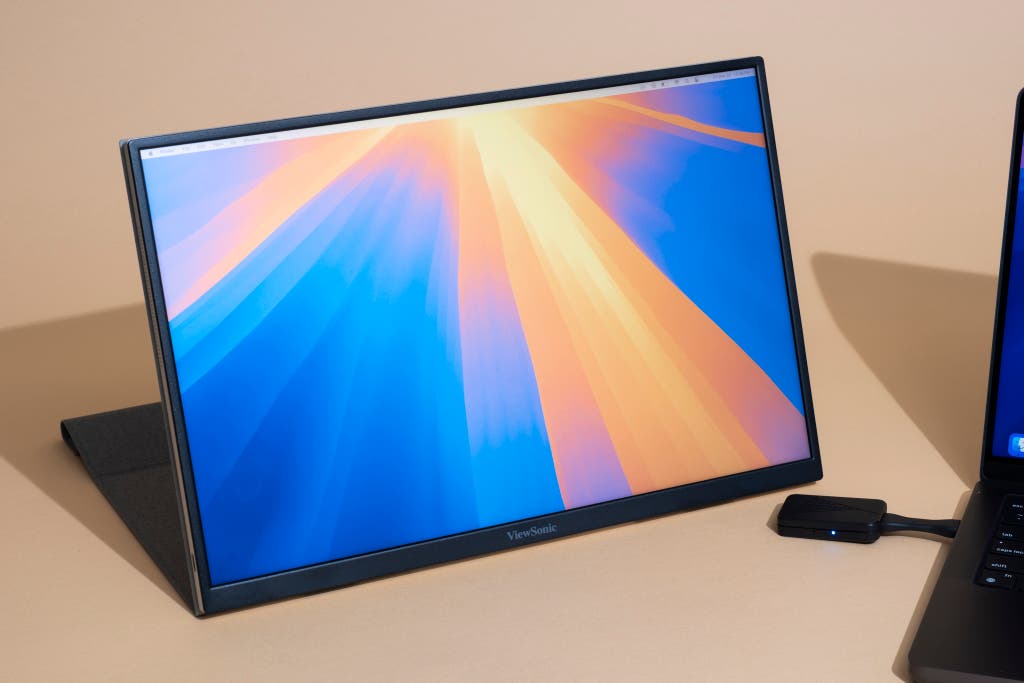
Best Portable Monitor for Solopreneurs 2026: Work From Anywhere
For the modern solopreneur, the world is your office. Whether you’re grinding away in a bustling coffee shop, collaborating in a co-working space, or catching up on emails from a hotel room, your workspace needs to be as flexible as your schedule. While a laptop is the cornerstone of any mobile setup, relying on a single, small screen can be a major drag on productivity. Juggling multiple windows, constantly alt-tabbing, and squinting at cramped spreadsheets is no way to run a business.
This is where a portable monitor becomes a true game-changer. A second screen provides the digital real estate you need to multitask effectively, compare documents side-by-side, and maintain a seamless workflow, no matter where you are. It’s the key to unlocking a desktop-like experience without being chained to a desk. In this guide, we break down the best portable monitors for solopreneurs in 2026, focusing on the features that matter most for life on the go.
Quick Verdict: Our #1 Pick
For its exceptional balance of portability, display quality, and user-friendly design, the Lenovo ThinkVision M14 is our top recommendation. It's incredibly lightweight, offers fantastic color accuracy, and features a versatile kickstand that makes it the perfect companion for any mobile workstation.
How to Choose the Best Portable Monitor
A great portable monitor can feel like a luxury, but for a solopreneur, it’s a powerful investment in productivity. When evaluating your options, focus on these four key criteria to ensure you get a monitor that fits your workflow.
Weight and Portability
The primary appeal of a portable monitor is its ability to go wherever you do. Look for models that are lightweight (under 2 lbs) and slim enough to slide into your laptop bag without adding significant bulk. A thin bezel not only looks modern but also maximizes screen real estate for the monitor’s size. Some models come with a protective cover that doubles as a stand, which is a convenient, space-saving feature.
Display Quality
You’ll be staring at this screen for hours, so display quality is non-negotiable. An IPS (In-Plane Switching) panel is essential for wide viewing angles and accurate color reproduction. Full HD (1920x1080) resolution is the standard for this category and provides sharp, clear text and images. Pay attention to brightness (measured in nits); a brighter screen is easier to see in well-lit environments like coffee shops or co-working spaces. A matte, anti-glare finish is also a huge plus for reducing distracting reflections.
Connectivity
Simplicity is key for a mobile setup. The best portable monitors use a single USB-C cable to transmit both power and video from your laptop. This is the most elegant and hassle-free solution. However, if your laptop doesn’t have a compatible USB-C port (one that supports DisplayPort Alt Mode), you’ll need a monitor with an HDMI port. In that case, you will likely need a separate power source for the monitor, which adds another cable and a power adapter to your bag.
Built-in Stand Quality
A wobbly, unreliable stand is a constant source of frustration. The best portable monitors have a sturdy, adjustable built-in stand that allows you to find the perfect viewing angle. Some use a folio-style cover that folds into a stand, while others have an integrated kickstand. The latter is generally more stable and offers a wider range of tilt angles. Look for a stand that can support the monitor in both landscape and portrait orientation for added flexibility.
Comparison of the Best Portable Monitors for 2026
| Product | Price Range | Key Feature | Best For | Amazon Link |
|---|---|---|---|---|
| Lenovo ThinkVision M14 | $200 - $250 | Ultra-lightweight, excellent stand | Ultimate Portability & Ergonomics | |
| ASUS ZenScreen MB16ACV | ||||
| 80 - $230 | Anti-glare screen, solid build | Bright Environments & Durability | ||
| ViewSonic VG1655 | ||||
| 70 - $220 | Sturdy kickstand, good connectivity | Versatility & Stability | ||
| Lepow Z1 | ||||
| 20 - | ||||
| 70 | Budget-friendly, all-inclusive package | Value-Conscious Solopreneurs | ||
| ASUS ZenScreen MB16AC | ||||
| 50 - $200 | Sleek design, simple operation | Style & Simplicity |
In-Depth Reviews
1. Lenovo ThinkVision M14
Best For: Ultimate Portability & Ergonomics
The Lenovo ThinkVision M14 is a masterclass in portable monitor design. Weighing a mere 1.3 pounds and measuring just 4.4mm thick, it is the epitome of portability. But its standout feature is the integrated kickstand, which offers a wide tilt range (-5° to 90°) and an adjustable foot for height alignment with your laptop. This level of ergonomic control is rare in the portable monitor space and makes a huge difference in comfort during long work sessions.
The 14-inch Full HD IPS display is bright, crisp, and delivers impressive color accuracy, making it suitable for creative tasks as well as general productivity. It connects via a single USB-C cable and even includes a power pass-through feature, allowing you to charge your laptop and power the monitor simultaneously with a single power adapter. For the solopreneur who prioritizes a lightweight, ergonomic, and high-performing mobile setup, the ThinkVision M14 is in a class of its own.
2. ASUS ZenScreen MB16ACV
Best For: Bright Environments & Durability
The ASUS ZenScreen MB16ACV is a robust and reliable workhorse. Its 15.6-inch IPS panel features an anti-glare surface that excels at minimizing reflections, making it a top choice for working in brightly lit spaces. The display produces vibrant colors and sharp text, and its single USB-C hybrid-signal solution means it works seamlessly with laptops that have either USB-C or USB-A ports (with a driver).
Weighing in at 1.8 pounds, it’s slightly heavier than the ThinkVision M14, but it feels incredibly solid and well-built. The included smart case folds into a stand that supports both landscape and portrait modes, offering good flexibility. While the stand isn’t as adjustable as a dedicated kickstand, it’s more than adequate for most situations. If you often work near windows or under bright lights, the MB16ACV’s anti-glare screen makes it a standout option.
3. ViewSonic VG1655
Best For: Versatility & Stability
The ViewSonic VG1655 is all about stability and flexibility. It features a sturdy, built-in kickstand that allows for a wide range of viewing angles and easily switches between landscape and portrait orientations. This makes it a great choice for tasks like coding, writing, or reviewing long documents. The 15.6-inch IPS screen provides a large canvas with excellent viewing angles and solid image quality.
Connectivity is another strong point, with two USB-C ports (one for power delivery) and a mini-HDMI port, ensuring compatibility with a wide range of devices. At 1.8 pounds, it’s not the lightest monitor on our list, but its robust stand and versatile feature set make it a compelling option for solopreneurs who need a stable and adaptable second screen. Check out our guide to the best monitor for your home office in 2026 for more display options.
4. Lepow Z1
Best For: Value-Conscious Solopreneurs
For solopreneurs on a budget, the Lepow Z1 offers an incredible amount of value. This 15.6-inch portable monitor comes with everything you need right in the box, including a smart cover, screen protector, and all the necessary cables (USB-C and mini-HDMI). The Full HD IPS display is surprisingly good for the price, with decent brightness and color reproduction.
It’s lightweight (1.76 pounds) and slim, making it easy to transport. The smart cover, which also functions as a stand, is the main compromise; it can be a bit flimsy and offers limited viewing angles. However, considering its affordable price point and all-inclusive package, the Lepow Z1 is an unbeatable entry-level option for anyone looking to dip their toes into the world of portable monitors without breaking the bank.
5. ASUS ZenScreen MB16AC
Best For: Style & Simplicity
The original ASUS ZenScreen MB16AC remains a popular choice for its sleek design and dead-simple operation. It’s incredibly thin and light (1.72 pounds), with a premium look and feel. The 15.6-inch Full HD display provides a great picture, and it connects with a single USB-C cable for both power and video.
The unique feature of the MB16AC is its smart pen hole. If you forget the included folio case, you can prop the monitor up with any standard pen, a clever design touch for the minimalist traveler. While newer models offer more advanced features like anti-glare screens or better stands, the MB16AC’s combination of style, simplicity, and reliable performance keeps it a relevant and attractive option. For more ideas on outfitting your workspace, see our article on the best home office setup for under $500.
The Ultimate Mobile Workstation: Pairing with a Laptop Stand
To take your mobile ergonomics to the next level, pair your portable monitor with a quality laptop stand. Elevating your laptop screen to eye level prevents you from hunching over, reducing neck and back strain. When you place your portable monitor next to your elevated laptop, you create a dual-screen setup that mirrors a comfortable and productive desktop environment.
This combination allows you to maintain good posture and a healthy workflow, even when you’re working from a temporary location. It’s a small addition to your kit that pays huge dividends in comfort and long-term health. Don't forget to optimize your workspace with our tips on the best cable management for your home office.
Is a Portable Monitor Overkill?
Let’s be honest: if you primarily work from a single, dedicated desk, a portable monitor is probably an unnecessary expense. In that scenario, you would be better off investing in a larger, high-resolution desktop monitor. A portable monitor’s strength lies in its mobility.
However, for the solopreneur who thrives on variety—the coffee shop warrior, the co-working connoisseur, the frequent traveler—it is an essential tool. It bridges the gap between the convenience of a laptop and the productivity of a desktop. If your business keeps you on the move, a portable monitor isn’t overkill; it’s a competitive advantage.
Final Verdict
A portable monitor is more than just a gadget; it’s a declaration of freedom for the modern solopreneur. It empowers you to build a productive, ergonomic workspace wherever your journey takes you. After extensive testing and comparison, our top recommendation remains the Lenovo ThinkVision M14. Its brilliant combination of an ultra-lightweight design, a stunning display, and a highly adjustable stand makes it the undisputed champion for working from anywhere.
Ready to transform your mobile productivity? Click here to get the Lenovo ThinkVision M14 and experience the freedom of a truly portable dual-screen setup.
About the Author: The YourSolopreneurKit Team tests and reviews tools to help solopreneurs work smarter. With 30+ years of business experience, we focus on practical recommendations that deliver real value.
About the Author
The Your SoloPreneur Kit Team — Honest tool reviews, home office guides, and actionable strategies for solopreneurs. Built by a 30-year operations veteran who managed teams across Panama, Central America, and the Caribbean.
Subscribe to The Solopreneur Edge
Get weekly tool reviews, productivity tips, and business strategies delivered to your inbox. Join our growing community of solopreneurs.
Subscribe to Newsletter