4 Wix Alternatives for Simple Sites in 2026 (From $0)
· 9 min read
Disclosure: YourSolopreneurKit.com earns commissions from affiliate links at no extra cost to you. Carrd and Systeme.io are affiliate partners. Wix, Squarespace and Google Sites are not.
How we tested: We tested Carrd's free plan in one hands-on session on October 10, 2026. We picked a template, edited it, and published a one-page site. We also opened a free Systeme.io account the same day and read its plan limits from inside the dashboard. We did not build sites on Wix, Squarespace or Google Sites for this article. Those sections come from each company's public pricing and help pages, checked the same day.
Wix can build almost any website. That is the problem when you need a simple one. A consultant who wants a name, three services and a contact button opens Wix and meets an editor with hundreds of options, an app market, and a paid plan before a custom domain works. This guide covers Wix alternatives for people who need one clean page, or a handful, and want to pay as little as possible for it.
The Short Answer
- A one-page site, portfolio or landing page: Carrd. Free to start, $19 a year with your own domain.
- A simple site that also sells and collects emails: Systeme.io. The free plan includes one website, one custom domain and an email list.
- A polished multi-page site and you accept a monthly bill: Squarespace.
- An internal or throwaway page at zero cost: Google Sites.
Build a one-page site on Carrd free →
Why People Leave Wix for Something Simpler
Three complaints come up again and again in searches around Wix alternatives: cheaper, simpler, free.
The free plan is a preview. Wix's own plans page describes the free URL as username.wixsite.com/sitename and says a Premium plan is what lets you connect your own domain and remove Wix branding. A business card with a wixsite.com address on it looks unfinished.
The paid plans are priced for bigger sites. Wix's plans page listed its lowest tier, Light, at about $17 a month on yearly billing when we checked on October 10, 2026. That is roughly $200 a year. For a five-section page that changes twice a year, you are renting far more builder than you use.
The editor asks a lot of decisions. Freedom to drag any element anywhere means you also own the spacing, the alignment and the mobile layout. A simple site needs fewer choices, made well by the template.
Wix Alternatives for Simple Sites Compared
| Builder | Free plan | Cheapest plan with your own domain | Best for | Tested hands-on? |
|---|---|---|---|---|
| Wix | Yes, wixsite.com address with Wix branding | About $17/month, billed yearly | Large, custom sites | No, plans page |
| Carrd | Yes, carrd.co address | $19/year (Pro Standard) | One-page sites | Yes, free plan |
| Systeme.io | Yes, 1 website and 1 custom domain | $0 | A site that sells | Partly, account and plan limits |
| Squarespace | No, 14-day trial | Listed from $14/month or less | Designed multi-page sites | No, pricing page |
| Google Sites | Yes | $0, domain setup through Google | Internal and basic pages | No, help docs |
Prices come from each vendor's own pages on October 10, 2026, and exclude the cost of the domain name itself.
Want this table on one page? Get the Wix alternatives comparison cheat sheet, with the yearly cost of each option worked out. Free.
No spam. Unsubscribe anytime. Privacy policy.
1. Carrd: The Simplest Way to a One-Page Site
Carrd builds one thing: a single responsive page. Profile, landing page, portfolio, form. That limit is the feature. With nothing else to configure, you finish.
What happened when we tested it
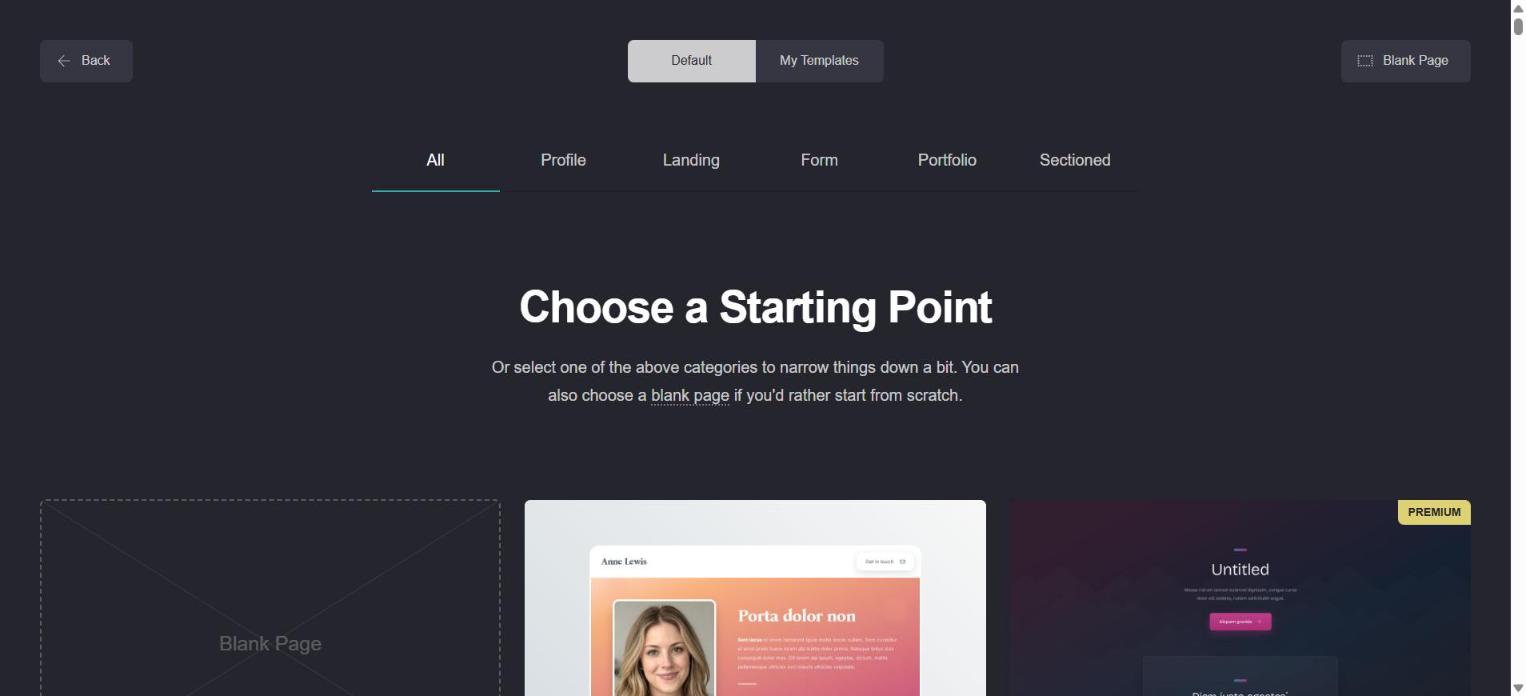
The dashboard is close to empty: a "New Site" button and a list of your sites. Clicking it opens a template gallery sorted into Profile, Landing, Form, Portfolio and Sectioned. Some templates carry a PREMIUM badge. The rest are free.
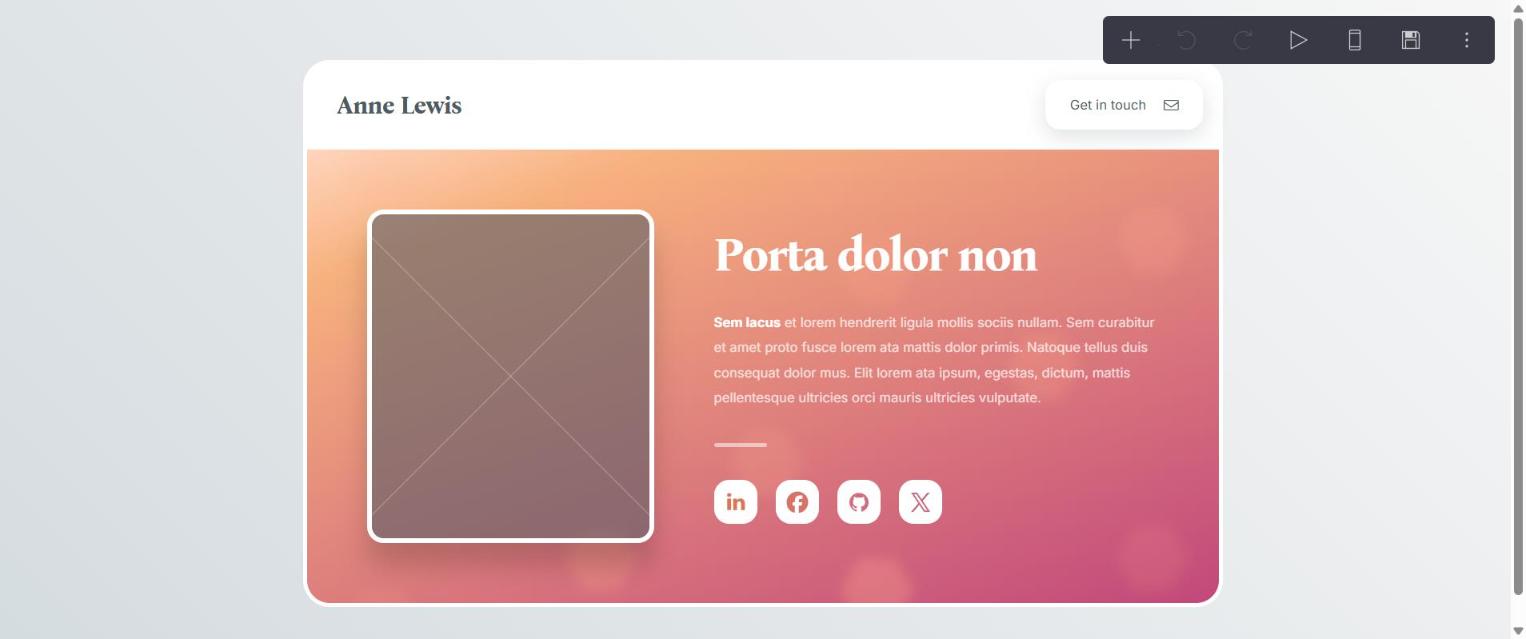
We chose the first free profile template. The builder loaded with the page in the middle and a seven-icon toolbar in the corner: add, undo, redo, preview, mobile view, publish, menu. Click any element and a panel slides in from the left with that element's settings.

Text editing surprised us. You do not type on the page. You type in the side panel, and Carrd formats with Markdown: two asterisks for bold, brackets for links. It is quick once you know it, and a small jolt if you expected to click a headline and type over it.
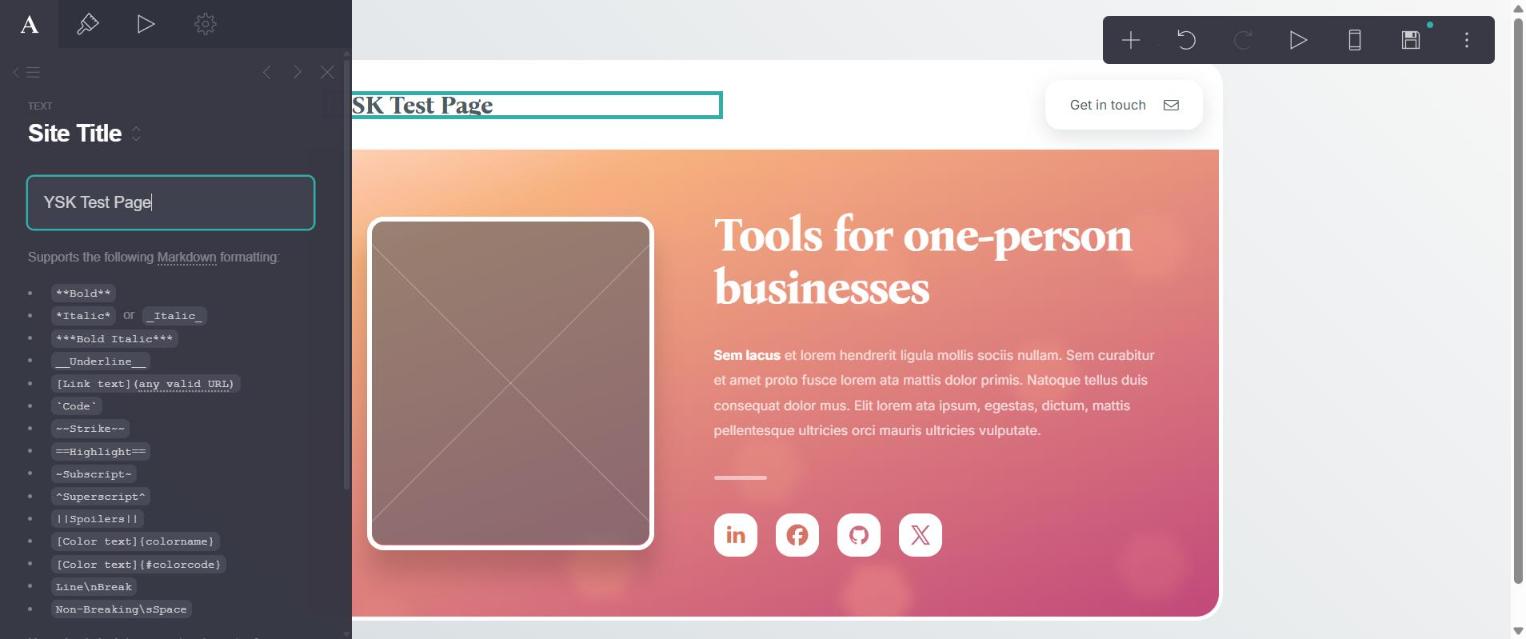
From "New Site" to the "Site successfully published" message took about four minutes.
Friction we hit
- An empty image placeholder blocks publishing. The template ships with a photo frame. We left it empty and clicked Publish. Carrd answered with "Unfinished Element" and refused. Upload a photo or delete the frame, then publish.
- The site stayed offline until email verification. Carrd accepted our publish, then the public address returned "Page not found". The dashboard labelled the site "Not online yet" under a banner asking us to verify the account. Click the link in Carrd's verification email before you share your address with anyone.
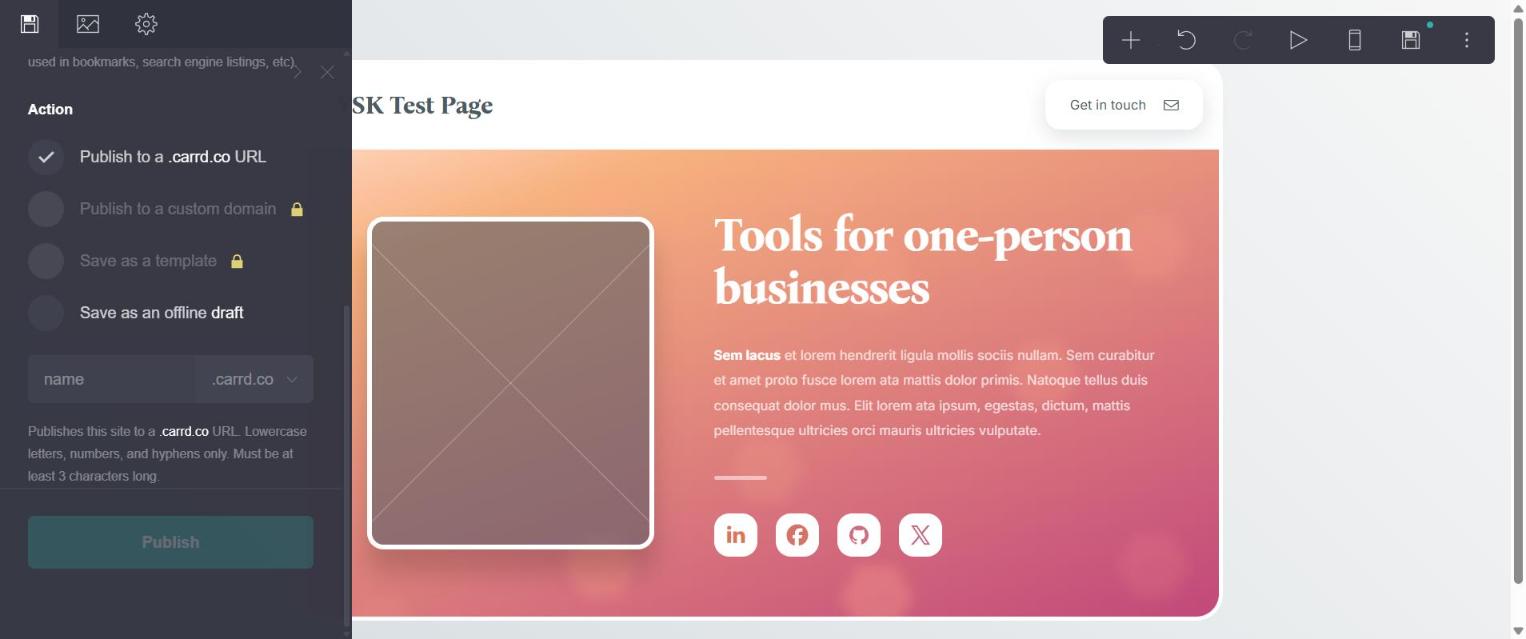
- Custom domains sit behind the paid plan. The publish panel shows "Publish to a custom domain" with a lock icon on the free plan. "Save as a template" and each element's Settings tab are locked too.
What it costs
The free plan publishes to a carrd.co address. Pro Standard costs $19 a year and adds custom domains, forms and the removal of Carrd's branding. Set that beside Wix: about $200 a year for the Light plan against $19 for Carrd, before the domain name. Over three years the gap is more than $500.
Choose Carrd if: your whole site fits on one page. Skip it if you need a blog, a store or separate pages with their own addresses. Our Carrd alternatives guide covers the tools to use when you outgrow it.
2. Systeme.io: A Simple Site That Also Sells
Systeme.io is a sales platform with a website builder inside it. If your simple site needs to take a payment or grow an email list, it replaces Wix and the two or three apps you would bolt onto Wix.
We read the free plan's limits from the My plan screen inside a new account: 2,000 contacts, 1 website, 1 custom domain, 1 blog, 3 sales funnels with 15 steps, 1 course and 1 email campaign. A custom domain at $0 is the line that matters here. Wix and Carrd both charge for it.
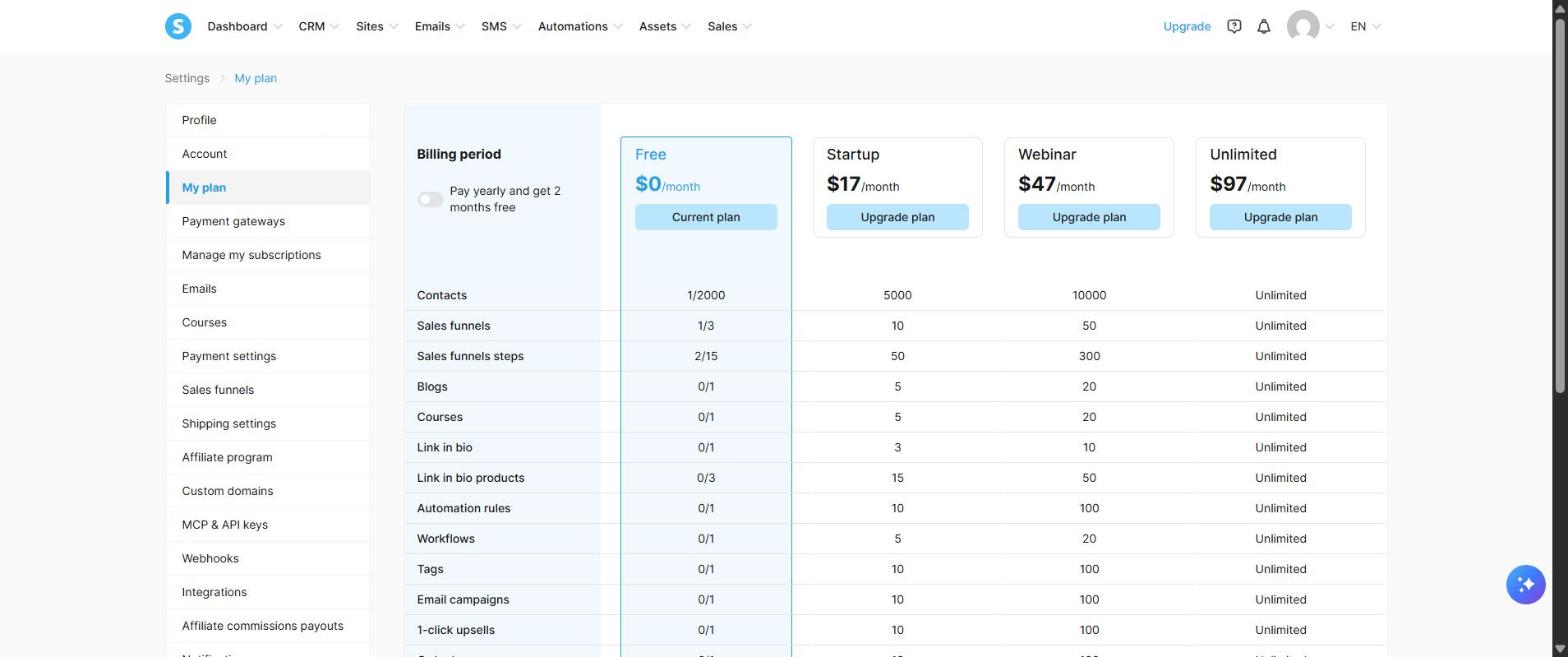
The tradeoff is polish. Systeme.io's templates aim at conversion, and a portfolio built there looks plainer than one from Carrd or Squarespace. The free plan also carries a sales revenue limit of $10,000, shown on the same screen. Past that you move to a paid plan, which started at $17 a month when we looked.
Choose Systeme.io if: the site exists to capture leads or sell a product. Open a free Systeme.io account →
3. Squarespace: When Design Carries the Sale
Squarespace is the tidy version of what Wix does. Templates are stricter, so pages stay aligned without effort, and photographers, designers and restaurants get a site that looks expensive.
There is no free plan. Squarespace's pricing page says every site starts with a 14-day free trial, and it listed three website plans from $14 a month or less, depending on billing period, up to $32. That makes it cheaper than Wix's entry tier and many times the price of Carrd.
Choose Squarespace if: you need several pages and the look of the site is part of what you sell. See our Squarespace alternatives for more in that range.
4. Google Sites: Free and Plain
Google Sites is part of a Google account. You drag text and images onto a page and publish. It costs nothing, and the result looks like a document with a header. For a community group, a class page or a temporary event page, that is enough. For a business that wants to look established, pick one of the three above.
How to Move a Simple Site Off Wix
Wix has no export button for a site. You rebuild. For a small site that takes an afternoon.
- Copy your text into a document, section by section.
- Download your images from the Wix media manager, or collect the originals.
- Rebuild on the new platform using its free plan, and publish to the free address first.
- Check where your domain lives. If you bought it through Wix, you can point it at the new site or transfer it to a registrar. If you bought it elsewhere, change the DNS records.
- Upgrade the new builder only when the domain step needs it. On Carrd that is the $19 Pro Standard plan.
- Cancel Wix after the domain points to the new site, and check the renewal date so you do not pay for another year.
One warning on timing. Search engines know your pages by their addresses. A one-page site has a single address, so pages such as /services or /about on your old Wix site will stop existing. If any of them bring you visitors from Google, set up redirects at your domain registrar, or keep a multi-page builder.
We did not migrate a live Wix site for this article. These steps follow the tools each platform documents.
Bottom Line
Wix is a strong builder for a site with many pages and custom features. For a simple site it is the expensive, complicated choice. Carrd had our one-page site built in about four minutes on the free plan, and the paid plan with a custom domain costs $19 a year against roughly $200 for Wix. Remember to verify your email before you share the link. If the site has to sell or collect emails, Systeme.io does that at $0 with a custom domain included.
Related: best free website builders for solopreneurs and our full website builder roundup.
Frequently Asked Questions
What is the simplest alternative to Wix?
Carrd, for a one-page site. We went from a blank account to a published page in about four minutes on the free plan. Email verification is required before the page goes online.
Is there a cheaper alternative to Wix with a custom domain?
Carrd Pro Standard costs $19 a year with custom domains. Systeme.io's free plan includes one custom domain at $0. Wix listed its lowest paid plan at about $17 a month on yearly billing.
Can I export my Wix site to another builder?
No. Wix has no site export. You copy the text and images and rebuild on the new platform, then point your domain at it.
Is Carrd free?
Yes, for sites on a carrd.co address. Custom domains, saving templates and element settings are locked on the free plan and need a Pro plan.
Did you test every builder in this article?
No. We built and published a site on Carrd's free plan and opened a free Systeme.io account on October 10, 2026. Wix, Squarespace and Google Sites are described from their public pricing and help pages.
About the Author
The Your SoloPreneur Kit Team — Honest tool reviews, home office guides, and actionable strategies for solopreneurs. Built by a 30-year operations veteran who managed teams across Panama, Central America, and the Caribbean.
Subscribe to The Solopreneur Edge
Get weekly tool reviews, productivity tips, and business strategies delivered to your inbox. Join our growing community of solopreneurs.
Subscribe to Newsletter