Carrd vs Linktree 2026: $19 a Year or a Monthly Plan?
· 9 min read
Disclosure: YourSolopreneurKit.com earns commissions from affiliate links at no extra cost to you. Carrd and Systeme.io are affiliate partners. Linktree is not.
How we tested: We tested Carrd's free plan in one hands-on session on October 10, 2026: template, edits, publish. We did not open a Linktree account. Linktree's side of this comparison comes from its public plan guide and help pages, plus third-party pricing reports where Linktree's own page showed no US dollar figures. We label those numbers where they appear.
Carrd and Linktree both give you one page to put behind the link in your bio. They are different products. Linktree is a list of buttons you can publish in two minutes. Carrd is a one-page website builder that can look like a list of buttons, or like a landing page, a portfolio or a signup form. The choice comes down to one question: do you want a link list, or a small website?
The Short Answer
- You want a page that looks like your own site, on your own domain, for $19 a year: Carrd.
- You want a link list live in two minutes with click counts built in: Linktree's free plan.
- You want to sell digital products from your bio link: look at Systeme.io's free link-in-bio page before paying for Linktree's upper tiers.
Build your bio page on Carrd free →
Carrd vs Linktree at a Glance
| Feature | Carrd | Linktree |
|---|---|---|
| What it is | One-page website builder | Link-in-bio button list |
| Free plan | Yes, on a carrd.co address | Yes, on a linktr.ee address, unlimited links |
| Paid pricing | $19/year for Pro Standard | Reported at $8 to $35/month (third-party figures) |
| Custom domain | Locked on free, included in Pro Standard | Not on the free plan |
| Remove platform branding | Pro plans | Listed under Premium in Linktree's plan guide |
| Layout freedom | Sections, columns, forms, images, embeds | A vertical stack of links with themes |
| Built-in analytics | None found in the free builder | Basic on free, more on paid tiers |
| Time to publish in our test | About 4 minutes | Not tested |
| Tested hands-on? | Yes, free plan | No, public pages and docs |
Checked October 10, 2026. Linktree's plan guide says prices vary by region and directs readers to its pricing page for current figures.
Want this table on one page? Get the Carrd vs Linktree comparison cheat sheet, with the three-year cost of each plan worked out. Free.
No spam. Unsubscribe anytime. Privacy policy.
What Each Tool Is Built For
Linktree solved one problem: Instagram gave you a single link. Linktree turned that link into a menu. You add a title and a URL for each button, pick a theme, and you are done. The page lives at linktr.ee/yourname. Its plan guide lists four tiers: Free with unlimited links and basic analytics, Starter with link scheduling and more appearance controls, Pro with advanced analytics and monetisation tools, and Premium with commerce features, marketing integrations and removable Linktree branding.
Carrd solved a wider problem: most people need a web page, and most website builders are too much. Carrd gives you a blank single page and a set of elements, such as text, images, buttons, forms, embeds and dividers, that you stack into sections. A list of link buttons is one layout among many.
Readers notice the difference. A Linktree page looks like a Linktree page. A Carrd page on your own domain looks like your website.
Carrd, Hands-On
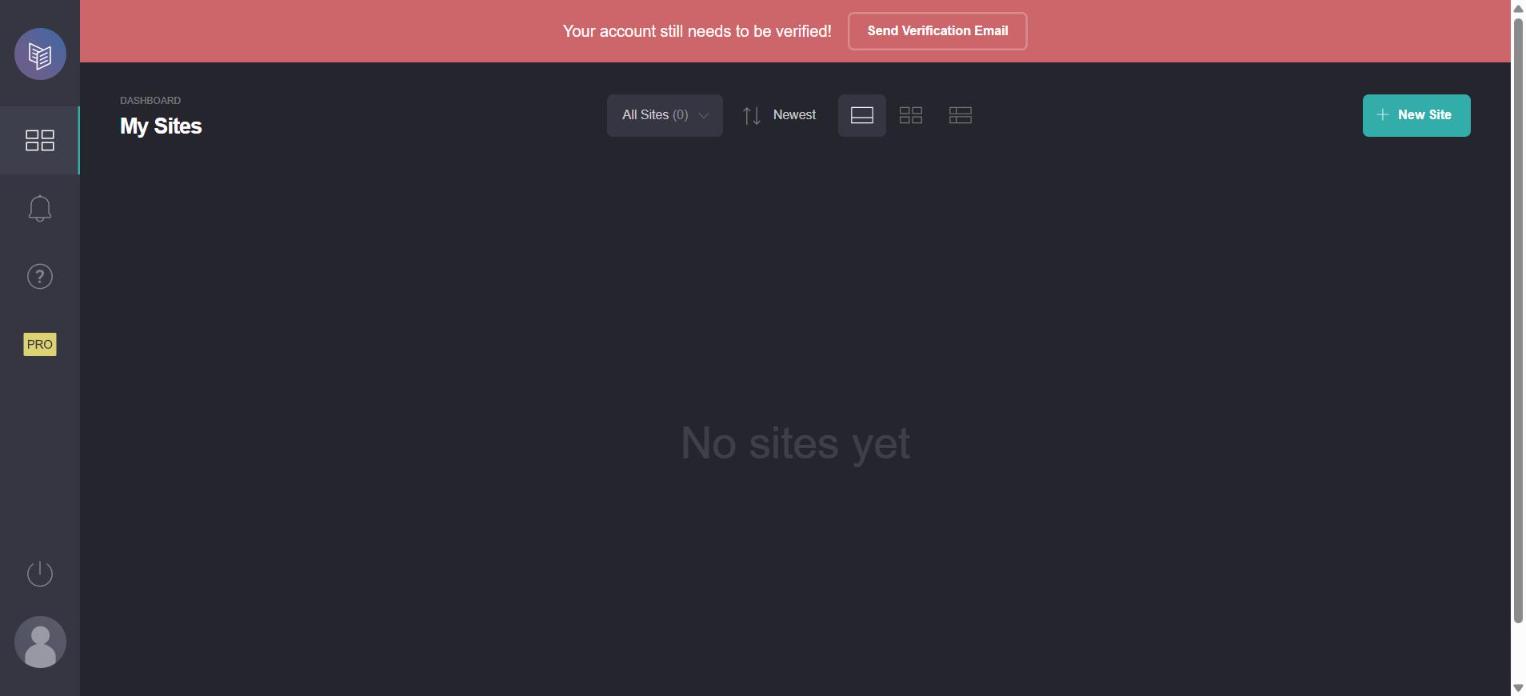
We started from an empty dashboard with a red banner asking us to verify the account email. More on that banner below.
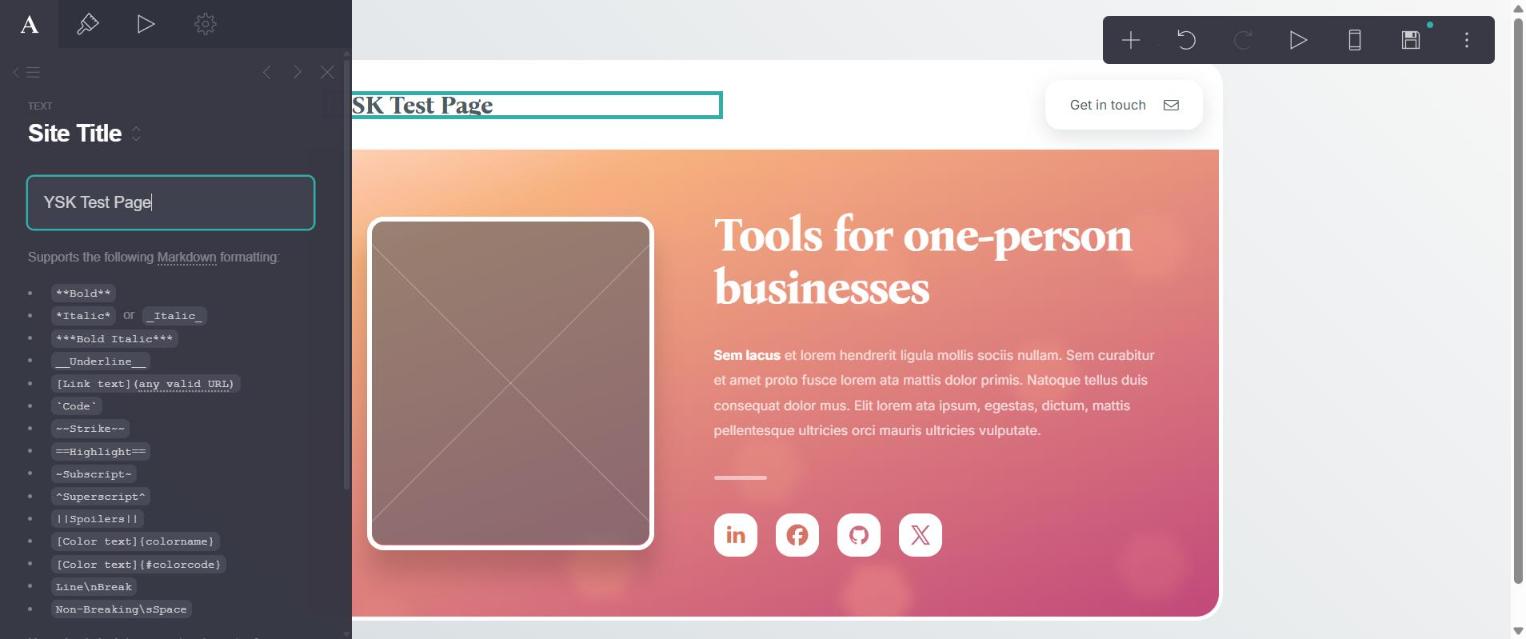
"New Site" opens a template gallery. We took the first free template in the Profile category, the closest match to a bio page: a name, a short text block, and a row of social icons. The builder shows the page with a small toolbar in the corner. Clicking an element opens its settings in a panel on the left. We changed the site title and the headline in that panel, which takes Markdown for formatting. The whole build, from "New Site" to Carrd's "Site successfully published" message, took about four minutes.

Friction and gates on the free plan
- Publishing failed on the first try. The template includes an image frame. We left it empty, and Carrd stopped the publish with an "Unfinished Element" dialog. We deleted the frame and published.
- The page was not online after publishing. The public address showed "Page not found", and the dashboard marked the site "Not online yet" beneath the verification banner. If you put a Carrd link in your bio before you verify your email, your followers land on an error page.
- Custom domains are locked. The publish panel offers a carrd.co address on the free plan. "Publish to a custom domain" carries a lock icon.
- Element settings are locked. The Settings tab for an element, which holds its ID, classes and events, shows a lock and needs a Pro plan.
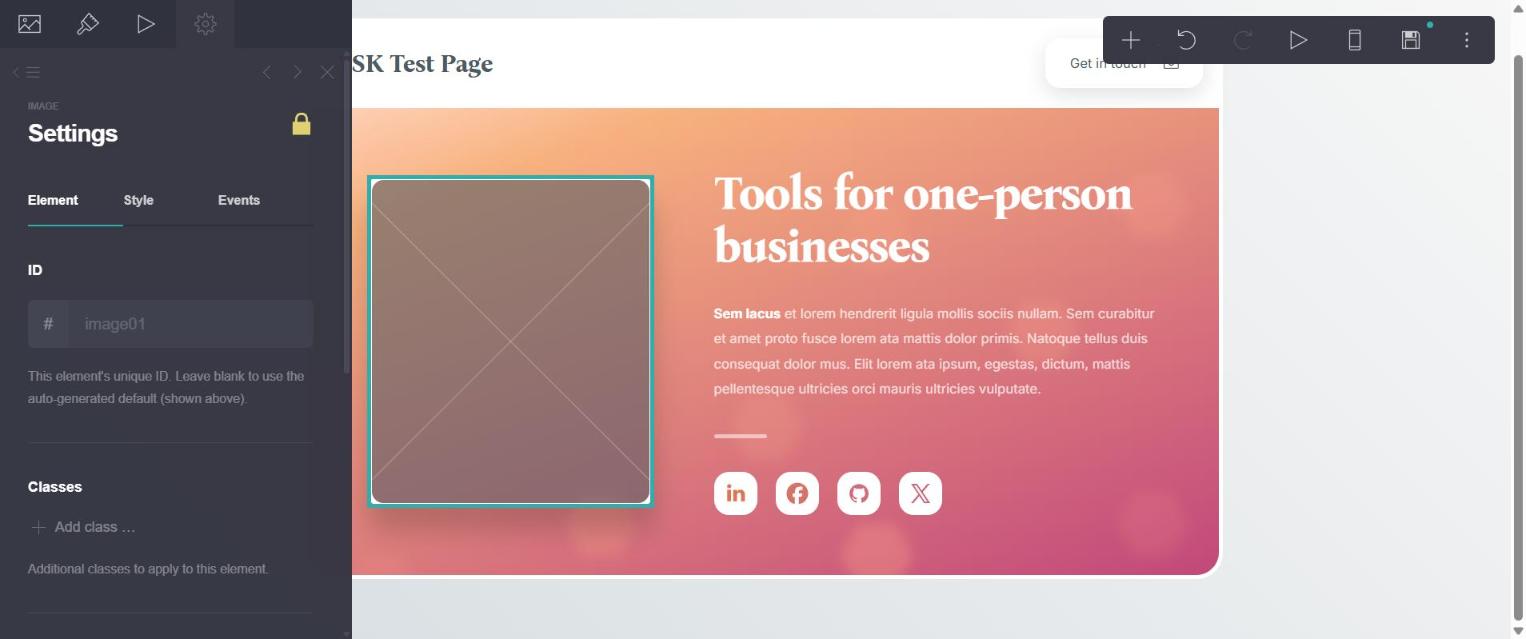

None of these stopped us from finishing. Two of them, the empty image frame and the verification step, would confuse a first-time user for a few minutes each.
Linktree, From Its Public Pages
We did not build a Linktree page, so this section sticks to what Linktree publishes and what its public pages show.
Setup is the selling point. A Linktree needs a username and a list of links. There is no layout to design, which means there is no layout to get wrong.
Analytics come built in. Linktree's plan guide lists basic analytics on Free, advanced analytics on Pro and full analytics on Premium. We found no analytics screen in Carrd's free builder. On Carrd you would add a tracking service yourself, and Carrd's embed features belong to its Pro plans.
The price climbs by the month. Linktree's own plan guide showed no dollar amounts when we fetched it and noted that prices vary by region. Third-party pricing trackers reported Starter at $8 a month, Pro at $15 and Premium at $35 on monthly billing, with lower rates on annual billing. Treat those as estimates and confirm on Linktree's pricing page.
Branding stays until the top tier. The plan guide lists removable Linktree branding under Premium.
Three-Year Cost
A bio link is a set-and-forget page, so the long-run cost matters more than the first month.
| Plan | Billing | Cost over 3 years |
|---|---|---|
| Carrd free | $0 | $0 |
| Carrd Pro Standard | $19/year | $57 |
| Linktree free | $0 | $0 |
| Linktree Starter (reported) | $8/month | $288 |
| Linktree Pro (reported) | $15/month | $540 |
| Linktree Premium (reported) | $35/month | $1,260 |
On the free plans the two are even. The gap opens when you want your own domain and no platform logo. Carrd charges $57 over three years for that. Linktree's reported Pro price comes to $540 over the same stretch.
Where Linktree Wins
- Speed. No template, no layout, no empty image frame to trip over.
- Click tracking without setup. You see which button gets tapped.
- Familiarity. Followers know what a Linktree page is and how to use it.
- Selling inside the page. Linktree's upper tiers list monetisation and commerce tools. Carrd has no checkout of its own.
Where Carrd Wins
- Price with a custom domain. $19 a year.
- It looks like your site. Your domain, your layout, no platform logo on Pro.
- More than links. Add a bio, a photo, testimonials, an email signup form or an embedded video above the buttons.
- Room to grow. The same account builds a landing page for a launch or a portfolio page. Pro Standard covers several sites.
A Third Option if You Sell Products
Systeme.io added a link-in-bio feature to its platform. We saw it in the plan table inside a free account on October 10, 2026: the Free plan includes 1 link-in-bio page with 3 products, alongside an email list of 2,000 contacts and a checkout. We did not build a bio page there. If your bio link exists to sell a template, an ebook or a small course, that combination costs $0, where Linktree keeps its commerce tools on paid tiers.
Who Should Pick Which
Coaches, consultants and freelancers get more from Carrd. Your bio link is often the first thing a prospect sees, and a page with your photo, one line about who you help, a testimonial and a booking button does more selling than a stack of links.
Creators who post daily and rotate links often get more from Linktree. Adding a button takes seconds from a phone, and the click counts tell you which post drove traffic. Carrd edits happen in a desktop-style builder, which suits a page you change once a month.
Anyone printing the address on a card, a slide or packaging should favor Carrd on a custom domain. You own that address and can point it anywhere later.
Switching From Linktree to Carrd
- List your current buttons. Copy each title and URL from Linktree.
- Verify your Carrd email first. It saves you the "Page not found" surprise we hit.
- Pick a Profile template and replace or delete the image frame.
- Add a button element for each link, in the order your Linktree clicks suggest.
- Publish to the free carrd.co address and open it on your phone.
- Swap the link in your bio. Leave the Linktree page up for a few weeks, since old posts and QR codes still point there.
- Upgrade to Pro Standard when you are ready to connect your own domain.
Verdict
Pick Linktree if you want the fastest possible setup and built-in click counts, and the free plan covers you. Pick Carrd if you want the page to look like your own site. Our Carrd page took about four minutes to build on the free plan, and the paid plan with a custom domain costs $19 a year, a fraction of Linktree's reported paid tiers. Verify your email and fill or delete the image frame, and the two snags we hit disappear.
Related: Carrd alternatives, Wix alternatives for simple sites and the best landing page builders for solopreneurs.
Frequently Asked Questions
Is Carrd better than Linktree?
For a page on your own domain that looks like a website, yes, and it costs $19 a year. For a link list with built-in click tracking that takes two minutes to set up, Linktree's free plan is simpler.
Is Carrd cheaper than Linktree?
Both have free plans. With a custom domain, Carrd Pro Standard is $19 a year. Third-party trackers report Linktree's paid plans at $8 to $35 a month.
Can Carrd be used as a link in bio?
Yes. Choose a Profile template and add a button for each link. Verify your account email first, because our published page stayed offline until verification.
Does Carrd have analytics?
We found no built-in analytics in the free builder. Linktree lists basic analytics on its free plan. On Carrd you add a tracking service through its Pro features.
Did you test both tools?
No. We built and published a page on Carrd's free plan on October 10, 2026. Linktree is described from its public plan guide, help pages and third-party pricing reports.
About the Author
The Your SoloPreneur Kit Team — Honest tool reviews, home office guides, and actionable strategies for solopreneurs. Built by a 30-year operations veteran who managed teams across Panama, Central America, and the Caribbean.
Subscribe to The Solopreneur Edge
Get weekly tool reviews, productivity tips, and business strategies delivered to your inbox. Join our growing community of solopreneurs.
Subscribe to Newsletter